

Buy & sell TF2 and Rust skins —
cash out in crypto (USDC/USDT).
Trade TF2 items such as keys, Tour of Duty tickets, Australiums and much more, plus Rust skins — straight from your Steam inventory.
Featured items
Full price list



Crypto Payments
Deposit and withdraw USDC and USDT on Ethereum, BNB Smart Chain, Polygon, Arbitrum and Optimism, plus USDC on Base. No service fee on deposits.
Instant Trades
Lightning-fast transaction processing. Load funds to your wallet and start trading right away.
24/7 Availability
Our support team is available around the clock — reach out anytime, day or night.


Bank Transfers (ACH)
Deposit from your US bank account by ACH transfer. A service fee applies, shown on the Deposit tab before you send.
Secure Trading
TOTP-based two-factor authentication, SSL-encrypted transactions, and round-the-clock fraud protection.
Safe Cashouts
Operated by an established business. Withdraw your earnings at any time.
Hot Items Right Now


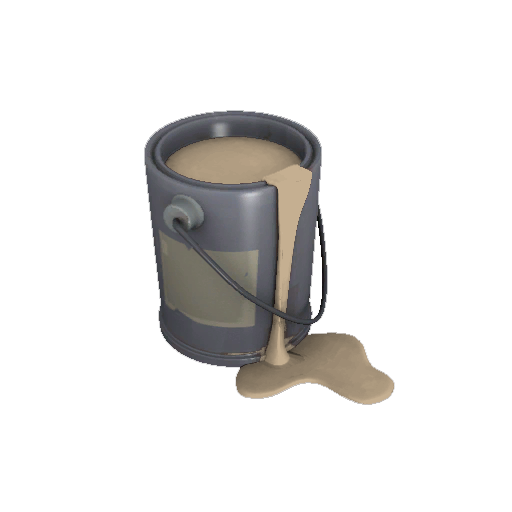
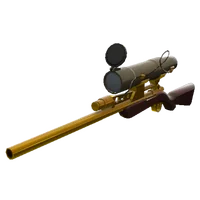
Explore the hottest Team Fortress 2 and Rust items loved by the community. From keys, hats and unusuals to Rust skins — find what everyone's after.
Trade now
Easy To Use
- Login with Steam
- Upload money to your Wallet
- Start trading
- Withdraw from your Inventory
Frequently asked questions
Which games can I trade?
Team Fortress 2 (TF2) and Rust. Each of the two panels on the Trade page has its own game button: select it to switch between the games.
The Price List has a tab per game.
Can I sell my TF2 items and Rust skins for crypto?
Yes. We buy many TF2 items, such as keys, Tour of Duty tickets and Australiums, plus Rust skins. The Price List shows what we buy and the price we pay.
Sell from your Steam inventory on the Trade page and accept the Steam trade offer we send you. The sale is credited to your balance, and money from items you sell can be withdrawn in crypto on the Wallet page.
Which coins and networks can I use?
Crypto: USDC and USDT on Ethereum, BNB Smart Chain, Polygon, Arbitrum and Optimism, and USDC on Base, for both deposits and withdrawals. You choose the token and network on the Deposit or Withdraw tab of the Wallet page, which shows the ones you can use.
When you deposit, send only the token and network the Wallet names; anything else is not credited automatically. USDT on Optimism withdrawn from Bybit is an older, bridged USDT and is not credited automatically.
Bank transfers: you can also deposit from a US bank account with an ACH transfer. Choose Bank transfer (ACH) on the Deposit tab. Bank transfers are for deposits only.
Are there fees?
- Trades: there is no fee on trades. The Price List shows the price we pay for each item and the price we sell it at, and the Trade page shows the totals before you confirm.
- Crypto deposits: we charge no service fee. The wallet or exchange you send from may charge its own fee.
- Crypto withdrawals: we charge no service fee. You pay the network fee, and a Fast exchange adds a service fee if one applies. The Withdraw tab shows the fees, with the amount you receive, before you confirm. An exchange you withdraw to may charge its own fees.
- Bank transfers: a service fee applies. The Deposit tab shows it before you send a transfer, and it is deducted when your transfer is credited. Your bank may charge its own fee.
Can I withdraw the money I deposit?
No. Deposited funds and balance prizes from giveaways can be spent on purchases but not withdrawn. Money from items you sell can be withdrawn.
How does a trade work?
On the Trade page, one panel shows your Steam inventory - the items you can sell to us - and the other shows our stock, the items you can buy. Add items from either side, check the totals and select Confirm Trade.
- Purchases are paid from your site balance.
- We send you a Steam trade offer. Accept it in Steam to complete the trade.
- Items you sell are credited to your balance once you accept the trade offer for them.
- Items you buy are sent to your Steam account in a trade offer. Bought items that have not been sent wait in the Inventory tab of your Dashboard, and you can withdraw them from there whenever you like.
You can have one trade in progress at a time.
Do I need a crypto wallet?
Only to move money into or out of your balance in crypto. To deposit or withdraw crypto, you need a crypto wallet or an exchange account that can send and receive USDC or USDT on one of the networks the Wallet page offers. Withdrawals are sent in crypto only.
To deposit without one, send an ACH transfer from a US bank account: choose Bank transfer (ACH) on the Deposit tab of the Wallet page. It shows the bank details to send to and your Memo reference. The Wallet tells you if anything is needed first, such as identity verification.
- Put your memo reference in the memo of every transfer.
- A transfer without it is not credited automatically. Contact support so we can assign it to your account.
How do you keep my account safe?
You sign in on Steam's own website, so you never enter your Steam password on ours.
- You can turn on two-factor authentication in Settings → Security. After that, a code from your authenticator app is needed to sign in and to confirm wallet withdrawals.
- Items only move in Steam trade offers that you accept.
Why do I need to verify my identity?
Some payment methods require identity verification before you can deposit or withdraw with them. When one does, the Wallet shows a notice with a button that starts the verification. Afterwards you return to the Wallet, and you get a notification with the result.
A verification can expire. When it has, the Wallet asks you to verify again.
How do I contact support?
Open the support panel with the support button shown on every page, with Contact Support in the footer or with Support in your account menu. You need to be signed in.
Select New ticket, choose a category, describe the problem and select Create ticket. Replies appear in the same panel: you get a notification, and the support button shows a dot while a reply is unread.
Level Up Your Trading Game
Join our community and make the most of your trading
Gadget Exchange is an exchange for Team Fortress 2 (TF2) and Rust items, with cryptocurrency payments. Join our community on Discord and experience the future of virtual item trading.